 CacheGuard-OS
User's Guide - Version UF-2.6.3
CacheGuard Overview
The User's Guide enables you to quickly and clearly learn how to configure and administer a CacheGuard appliance. For a detailed description of each command used in this guide, please refer to the Commands Manual. The web administration GUI provided with CacheGuard-OS acts as a front end to the CLI and is therefore not documented separately.CacheGuard Gateway allows you to connect your networks to the internet securely while protecting your IT infrastructure against harmful traffic. It also enables you to provide the QoS (Quality of Service) required by critical network traffic such as VoIP. What makes CacheGuard Gateway a unique solution is its dual functionality: in forwarding mode, it protects users accessing the internet, while in reverse mode, it protects web applications. To deploy a CacheGuard Gateway, simply install CacheGuard-OS on the machine of your choice. The only requirement is that the machine must have at least two NICs (Network Interface Cards). For assistance with CacheGuard-OS installation, please refer to the Getting Started section.
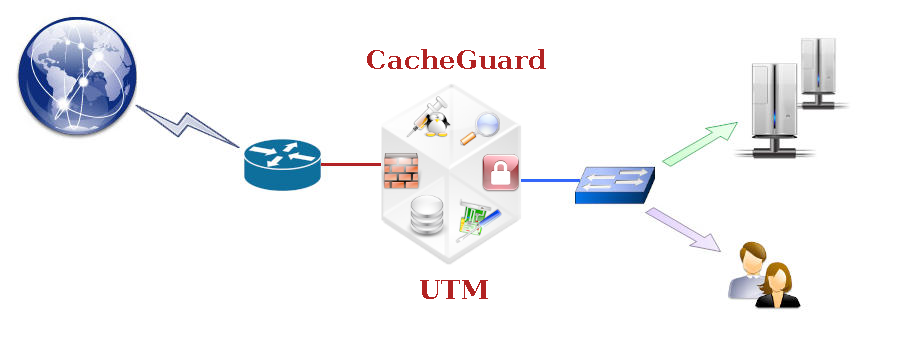
CacheGuard-OS integrates a range of network security and traffic optimisation features including, but not limited to, a firewall, VPN, web antivirus, filtering proxy, reverse proxy, WAF, traffic shaping, and web caching. All these features can be securely and efficiently activated simultaneously on the same machine, ensuring optimal use of the underlying hardware resources.
Using CacheGuard-OS
Implementing and configuring CacheGuard-OS is straightforward and efficient, even if you are not a networking or security specialist. With CacheGuard-OS, the complexity of the integrated open-source components is hidden beneath the surface, allowing you to simply operate a single system and benefit from a powerful and reliable engine.CacheGuard Gateway Functions
|
CacheGuard-OS Network Optimisation
|
CacheGuard-OS IP Security
|
|
CacheGuard-OS Web Security
|
CacheGuard-OS High Availability
|
|
CacheGuard-OS Web Optimisation
|
CacheGuard-OS Administration
|