 CacheGuard-OS
User's Guide - Version UF-2.2.1
General Modes
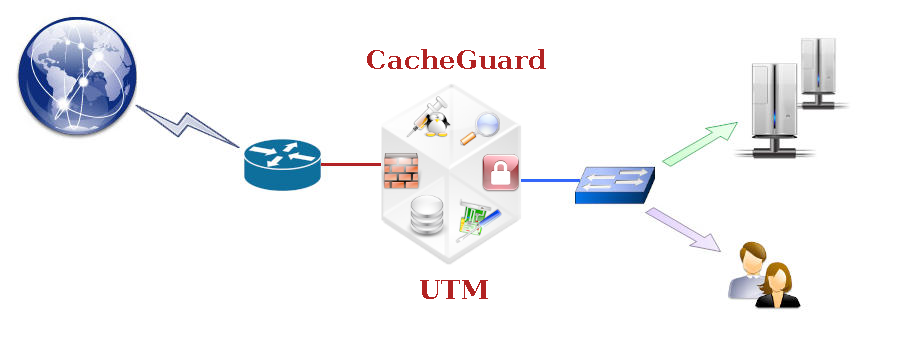
CacheGuard appliance is an integrated appliance that Secures and Optimises the internet traffic by providing a whole range of features. To get a perfectly optimised appliance configuration, it is recommended that you activate features that you actually need and deactivate all others. But if needed, it is possible to activate all available features at the same time on the same appliance and all activated features would work seamlessly and efficiently together.
The mode command allows you to activate or deactivate different features called modes. For almost all modes, there is a command with the same name that allows you to configure that mode. For instance, the embedded firewall can be activated by using the mode firewall on command and the firewall can be configured using the firewall command. We can distinguish two groups of modes: network modes and function modes. Sections below give you a brief description of all avaialble modes. Note that the apply command must be invoked after activating or deactivating a mode.
Network Modes
This section gives a brief description of all network modes. Available network modes operate at the (TCP/UDP) IP level and are as follows:
- DHCP server
- Caching DNS
- High Availability
- Passive FTP
- Quality of Service
- Network Router
- Source NAT
- Transparent Web
- Transparent Web SNAT
- Tagged VLANs
DHCP server
CacheGuard appliance can provide dynamic IP addresses to connected devices ;integrates a DHCP server to dynamically deliver IP . To activate the DHCP server use the mode dhcp on command. You can configure the DHCP server using the dhcp command. That commands allows you the define dynamic IP ranges and, if needed, reserve IP addresses for your devices.Caching DNS
CacheGuard appliance integrates a caching only Domain Name Server that can be used by all other integrated services but also external clients. To activate the integrated DNS server and make it available to be used by external clients, use the following commands:- dns raz
- dns add localhost
- mode dns on
High Availability
Two or more CacheGuard appliances can be implemented in a HA (High Availability) mode by using the VRRP protocol. In addition, network interfaces (external, internal...) of a CacheGuard appliance can be associated to more than a physical network interface to offer link resiliency. To activate the HA mode, use the mode ha on command. Once the HA mode is activated, you must use the vrrp command to associate one or more VRRP IP addresses to at least one network interface. To associate more than a physical network interface to a network interface use the link command.Passive FTP
By default, CacheGuard appliance uses the passive FTP protocol to initiate FTP sessions with external FTP servers. To use the active FTP mode, you must deactivate the passive FTP mode. To deactivate the passive FTP mode, use the mode ftppassive on command. Please note that switching between the passive and active FTP modes is done globally (you can't select the FTP mode for particular FTP session).Quality of Service
CacheGuard appliance can shape and schedule the network traffic to offer QoS (Quality of Service) to your users an applications. Using the QoS manager in a CacheGuard appliance allows you to reserve the required network bandwidth for your most critical applications. To activate the QoS mode, use the mode qos on command. Then, you can use the qos command to configure the traffic shaping at your conveniences. All traffic destined to services (proxy, antivirus...) running on the appliance itself as well as the traffic that is only routed via the appliance are handled by the QoS manager.Network Router
CacheGuard appliance can act as a network router supporting static routes and multi gateways configuration. Use the mode router on command to activate the router mode. To configure the routing, use the ip route command.Source NAT
CacheGuard appliance can NAT (Network Address Translation) the source IP address of all outgoing traffic via its external network interface with its own external IP address. This mode is called snat (for source NAT) and you can activate it using the mode snat on command.Transparent Web
CacheGuard appliance can be transparently implemented in a network to intercept Web traffic in order to be managed (cached, filtered...). In a transparent implementation, there is no need to configure Web browsers to use CacheGuard appliance as a Web proxy. The easiest way to transparently implement a CacheGuard appliance in a network is to use it as the default gateway to the internet. This mode is called tweb (or transparent) and can be activated by using the mode tweb on (or mode transparent on) command. The transparent (or tweb) command can then be used to selectively intercept Web traffic.
As HTTP is increasingly being replaced by HTTPS on the Web, the power of the transparent mode is considerably reduced. But fortunately CacheGuard appliance can also be configured to intercept HTTPS traffic. The transparent interception of HTTPS traffic is called the sslmediate mode and is described in the Function Modes section below. The sslmediate mode is considered as a function mode rather than a network mode as its implementation requires to deal with SSL CA certificates in addition to the network configuration.
Transparent Web SNAT
In transparent mode (tweb is activated), intercepted Web traffic can preserve their real IP addresses or be Source NATed with the CacheGuard appliance external IP address. The tnat (transparent NAT) mode allows you to activate (on) source IP address NATing of transparently intercepted Web traffic. The tnat mode is activated by default. To deactivate it, use the command mode tnat off. Please note that when the tnat is deactivated, routed Web traffic should not be asymmetric against CacheGuard appliance (ie. all incoming and outgoing Web traffic exchanged with Web clients should be routed from the same CacheGuard appliance network interface).
Tagged VLANs
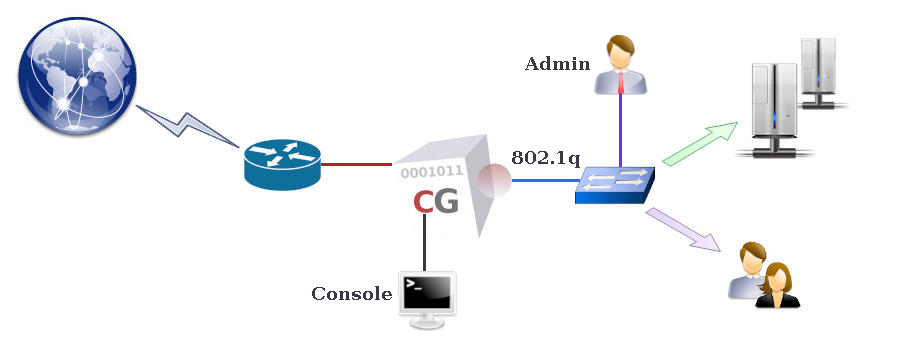
CacheGuard appliance supports 802.1q VLAN (Virtual LAN) tagging on its internal network interface to secure and isolate predefined functional traffic (admin, web, rweb...). To activate the VLAN mode, use the mode vlan on command. Once the VLAN mode is activated, you must use the vlan and ip commands to define VLANs and affect IP addresses to them.
If you activate both the web and rweb modes at the same time on the same appliance and in your configuration your CacheGuard appliance SSL offloads HTTPS traffic destined to your Web applications (network traffic between CacheGuard and real Web servers are unencrypted), you would probably need to use a distinct VLAN for the rweb traffic type. Refer to the rweb command to know how to configure the rweb mode for SSL offloading.
Function Modes
This section gives a brief description of all function modes. Available function modes operate at the application level and are as follows:
- Anonymous Browsing
- Antivirus
- Web Authentication
- Statefull Firewall
- Forwarding Web Proxy
- HTTP Compression
- OCSP Responder
- Reverse Web Proxy
- SSL Mediation
- Traffic Logging
- URL Guarding
- IPsec VPN
- Web Application Firewall
- Web Caching