 CacheGuard-OS
User's Guide - Version UF-2.2.1
The Antivirus
The antivirus detects malware (virus, trojans, worms) in Web traffic incoming from the external zone and blocks them at the gateway even before they can enter into your networks. The antivirus can operate in forwarding/browsing (web) mode as well as in reverse (rweb) mode. In forwarding mode, it rejects all attempts to access malware in Web traffic while in reverse mode, all attempts to upload a malware on protected Web servers are blocked (in rweb mode, CacheGuard appliance is implemented in front of Web servers). To activate the antivirus, you can use the mode antivirus on command followed by the apply command.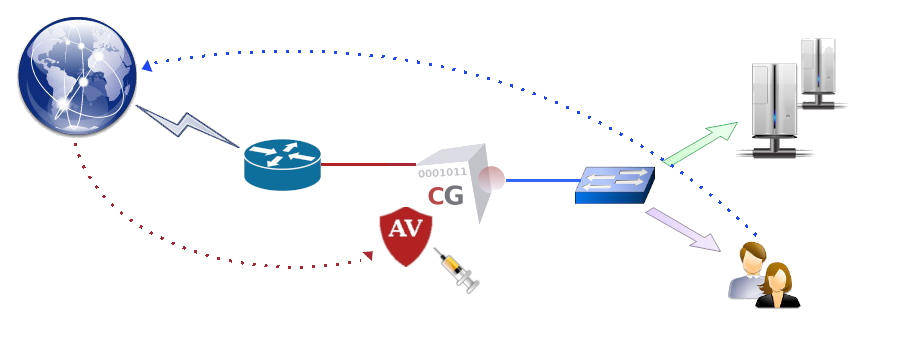
- PE files compressed or obfuscated with the following tools: Aspack (2.12), UPX (all versions), FSG (1.3, 1.31, 1.33, 2.0), Petite (2.x), PeSpin (1.1), NsPack, wwpack32 (1.20), MEW, Upack, Y0da Cryptor (1.3).
- Almost every mail file format including TNEF (winmail.dat) attachments.
- The most popular file formats like: MS Office and MacOffice files, RTF, PDF, HTML.
- Various obfuscators, encoders, files vulnerable to security risks such as: JPEG (exploit detection), RIFF (exploit detection), uuencode, ScrEnc obfuscation.
Automatic Updating
CacheGuard appliance periodically checks the malware signature database and if necessary, downloads updates. Updates are downloaded from a public service named database.clamav.net on the internet. It is important to note that any download abuse can be blocked by that service for a given period of time which is not on the CacheGuard appliance control. In order to not be banned by that service, it is recommended to let CacheGuard appliance to automatically update the signature database and avoid any explicit updates (unless it is absolutely necessary).
To complete the standard malware signature database offered by database.clamav.net, additional malware signatures are proposed as an optional service by CacheGuard Technologies Ltd that you can easily subscribe to. After having subscribed to that optional service, you can simply activate it on your CacheGuard appliance by setting the provided password and file server name on your CacheGuard appliance (commands to use would be access file and password file).
Antivirus & WAF
When CacheGuard appliance is implemented as a WAF in front of your Web servers (the rweb and waf modes are both activated) the antivirus scans all attempts to upload files onto your protected/cloaked real Web servers. In case where a malware is detected in an uploaded file, CacheGuard appliance instantly blocks that upload even before the uploaded file can reach Web servers. Note that the only supported method to upload a file by the antivirus is the POST method with an encryption type of multipart/form-data. The following commands activate and configure the antivirus to scan any attempt to upload a file on the Web server having the IP address 10.20.0.100 and protected/cloaked by CacheGuard appliance:
- rweb site add www.example.com http
- rweb host www.example.com add rweb http 10.20.0.100
- mode rweb on
- mode waf on
- mode antivirus on
- apply
Antivirus & MTA
The antivirus is natively used by the integrated Web proxy to block malware in Web traffic. However, it can also be used as a service offered to external clients/services such an MTA (Mail Transfer Agent). For instance, to give access to a a remote exim4 MTA having the 10.20.0.200 IP address and communicating with CacheGuard appliance via its internal network interface, you can use the following commands:- ip internal 10.20.0.254 255.255.0.0
- port antivirus 8083
- access antivirus add internal 10.0.20.200 255.255.255.255
- apply